Make Imaginary Travel Posters Locally with ComfyUI and Rapid-MLX
A lunar night market, a resort above Saturn's rings, and four more places that don't exist. Here's the repeatable Mac workflow behind the posters.
Imagine a travel agency with six destinations that don't exist: a lunar night market, a city of folded paper, a train through the deep ocean. We made a poster for each one on a Mac with Qwen-Image 2.1, using Rapid-MLX to generate the images and ComfyUI to organize the work.
The same setup works for event concepts, product mood boards, or illustrated story settings. You can change the prompts, inspect one result, then run the whole series without copying images between apps.
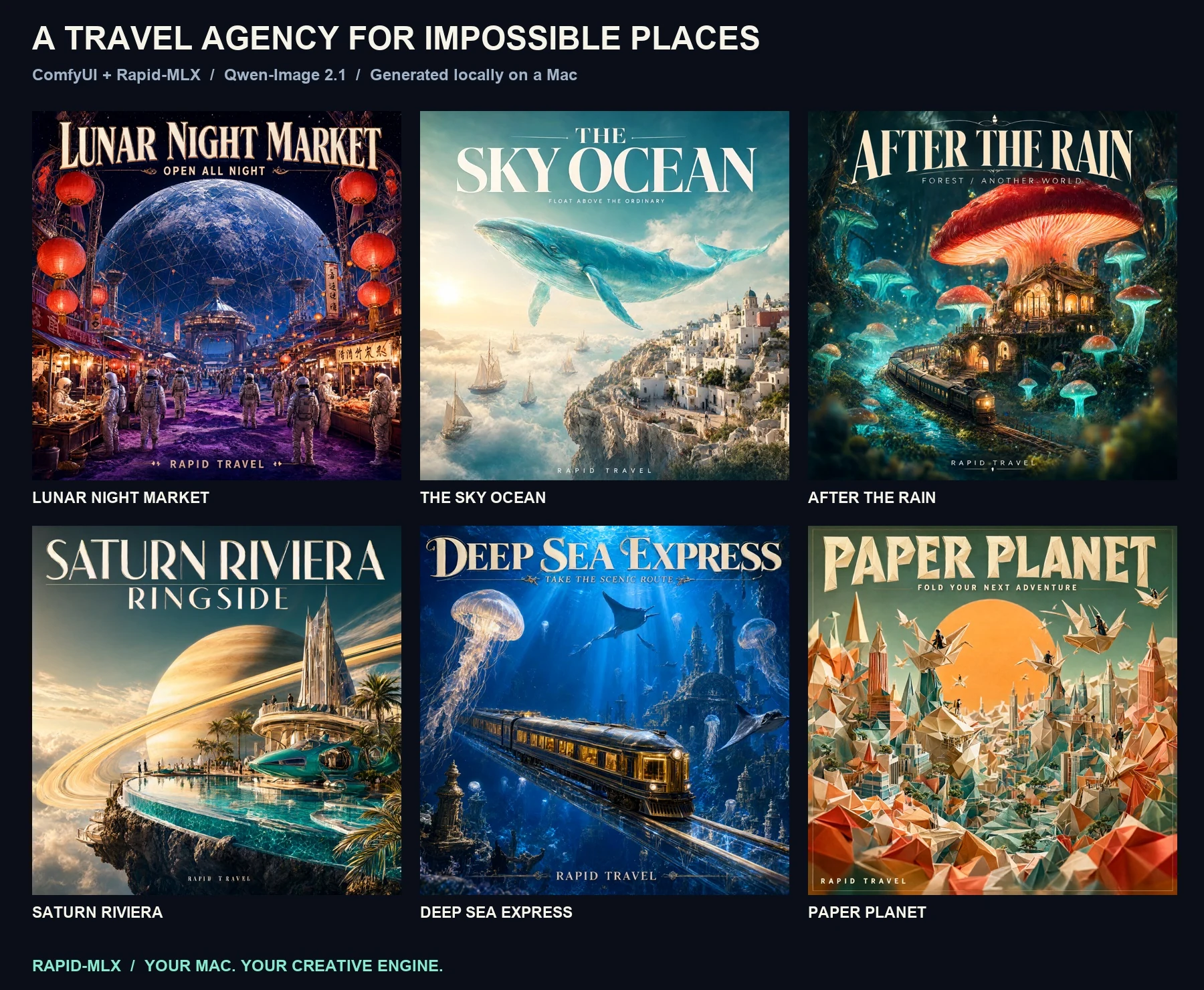
Six selected posters from the verified local run. Open each poster at full size.
What runs where
ComfyUI manages the graph, queue, and saved files. A small custom node sends each prompt to Rapid-MLX's local POST /v1/images/generations endpoint, decodes the returned PNG, and hands ComfyUI a normal IMAGE output. Rapid-MLX runs the model through MLX on Apple Silicon.
Keeping the two processes separate also keeps ComfyUI's Torch dependencies out of the image model's environment. ComfyUI can run with --cpu here: that flag applies to its orchestration process, while Rapid-MLX still uses Metal for generation.
Try the workflow
You need an Apple Silicon Mac, Python 3.11 or newer, and ComfyUI. Install the Rapid-MLX image extra in its own Python environment, then start the image server:
python3 -m venv rapid-image-venv
rapid-image-venv/bin/pip install 'rapid-mlx[image]'
rapid-image-venv/bin/rapid-mlx serve qwen-image-2.1 --host 127.0.0.1 --port 18427
The qwen-image-2.1 alias downloads about 8.9 GiB of quantized model weights on first use. Our run used an M3 Ultra with 256 GB of unified memory; these timings do not predict performance on a smaller Mac. The image model guide lists the available models and memory requirements.
Get the complete example on GitHub. Link or copy custom_nodes/rapid_mlx into ComfyUI's custom_nodes folder and restart ComfyUI. Import workflow.json, which connects Rapid-MLX · Local Image to ComfyUI's Save Image node. The example README has the full installation commands and the tested ComfyUI revision.
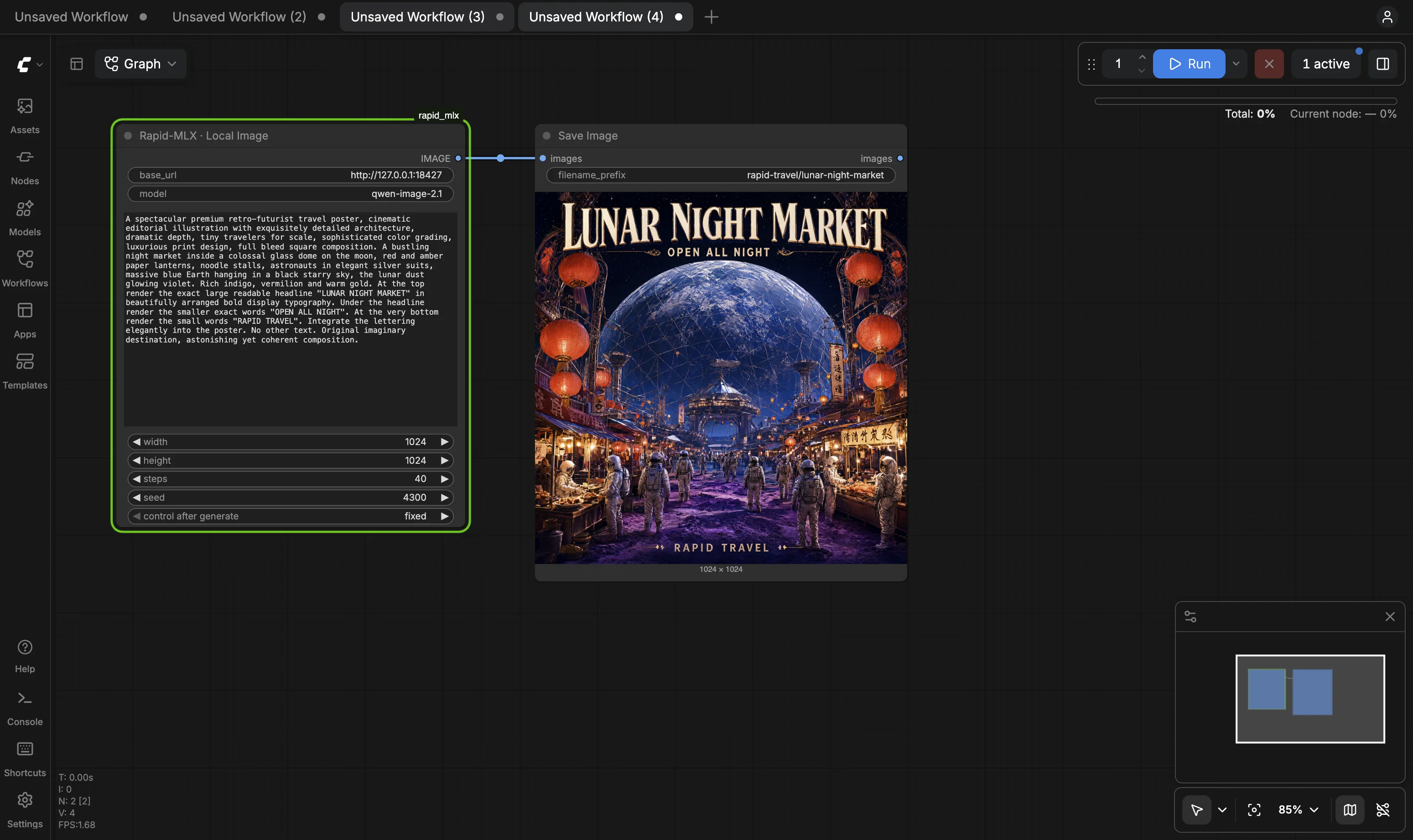
In a second terminal, start ComfyUI:
python main.py --cpu --listen 127.0.0.1 --port 8189
Run one destination first, then the full set:
python3 examples/comfyui-travel/batch.py --limit 1 \
  --output examples/comfyui-travel/media/posters

python3 examples/comfyui-travel/batch.py \
  --output examples/comfyui-travel/media/posters
Run those batch commands from the Rapid-MLX repository root while both servers are running. The six scenes, requested lettering, and seeds live in destinations.json. Edit that file to make your own series.
The batch script submits one graph at a time, waits for ComfyUI's execution history, and downloads the PNG that Save Image wrote. It also writes a JSON record beside each image with the prompt, seed, elapsed time, and SHA-256 hash. Repeating the command verifies and skips completed images. If you change the settings, choose a new output directory to keep the earlier run intact.
If your Rapid-MLX server requires an API key, set RAPID_MLX_API_KEY in ComfyUI's environment. The node reads it at runtime, so the key does not go into the shared workflow file or PNG metadata.
What the six-image run showed
We generated eight candidates and selected six posters. Two early subtitles had spelling errors, so we shortened those prompts and generated new samples. Each selected image was 1024×1024 at 40 steps, with cached model weights on the M3 Ultra. Rapid-MLX's server logs recorded 189–205 seconds per selected image. Those are measurements from one demo session, not a hardware benchmark or a promise for other Macs. The run record has the per-image times and seeds.
Open the selected posters: Lunar Night Market, The Sky Ocean, After the Rain, Saturn Riviera, Deep Sea Express, and Paper Planet.





The headline and footer on each poster were requested in the image prompt. They were generated by Qwen, not typeset afterward. That makes a visual proofread essential. One first attempt rendered “DARK” as “DANK”; a new seed and shorter subtitle produced the selected version. A fixed seed helps you compare runs, but it does not guarantee identical pixels across hardware or runtime versions.
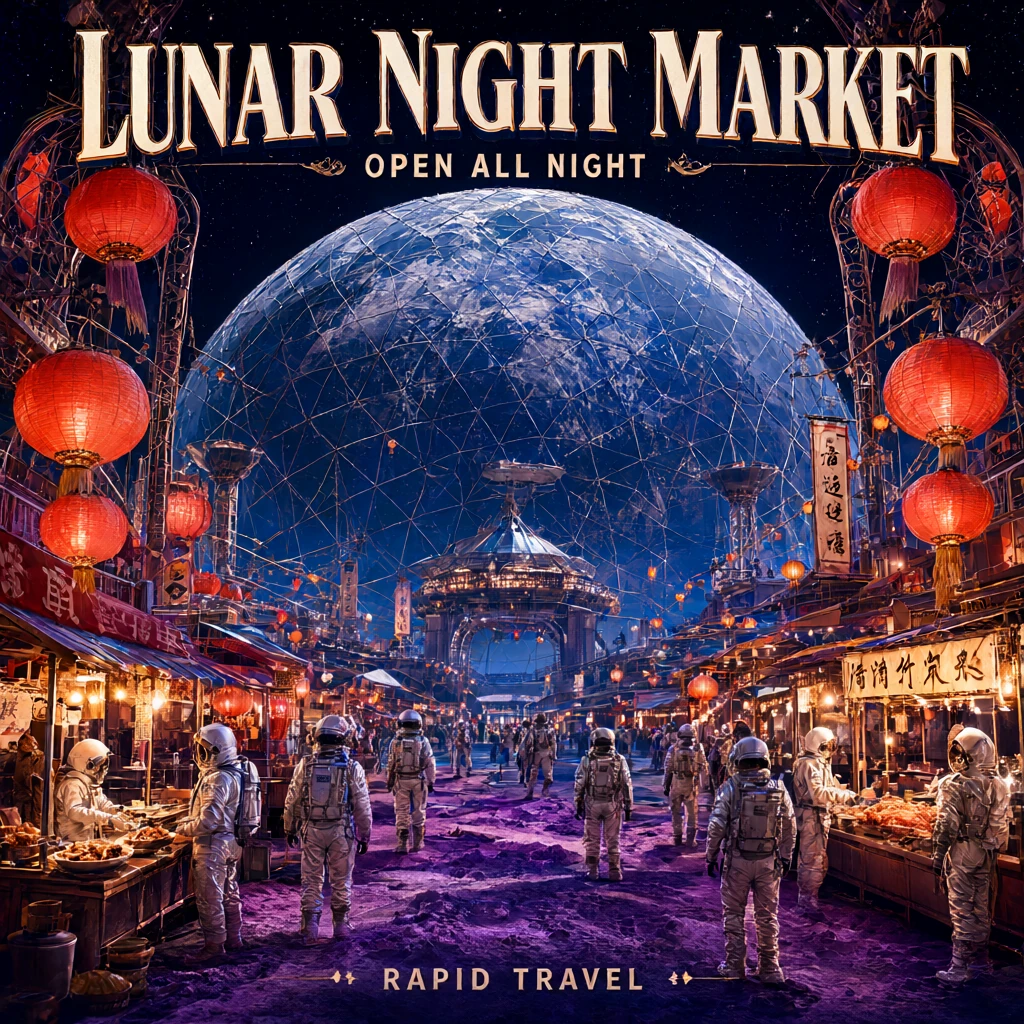
The selected lunar poster. The original lettering is part of the generated image.
Make a short reel from the stills
The example includes a renderer for a contact sheet and a 20-second, silent 1080p MP4. Install FFmpeg before running it (brew install ffmpeg on macOS):
python3 examples/comfyui-travel/render.py \
  --input examples/comfyui-travel/media/posters \
  --output examples/comfyui-travel/media
It gives each destination three seconds, adds a gentle camera move and fades, then ends on a two-second Rapid-MLX card. The reel animates still images with FFmpeg; it is not AI-generated video. The original poster lettering comes from Qwen; the surrounding labels come from the renderer.
Watch the 20-second travel reel (silent MP4, 1080p).
Start with --limit 1, check the lettering and composition, then generate the rest. The source workflow and scripts make the run inspectable and repeatable, and the Rapid-MLX image API guide covers other image models you can try with the same local service.
rapid-mlx serve <alias> serves any model on
localhost:8000/v1.
curl -fsSL https://rapidmlx.com/install.sh | bash
New models and speedups, in your inbox
A short note whenever Rapid-MLX gets faster or adds models worth running on your Mac. No spam — unsubscribe anytime.